Monday, November 9, 2020

Week 12 2020: Photoshop Tour

November 9 - 12, 2020

Objective: Learn the how to use Filters to create textures.
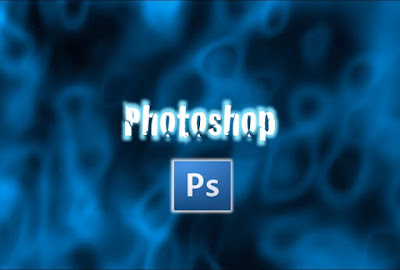
Assignment: Photoshop Tour
Details: Go to the Learn window and follow the Photoshop Tour. Save your work.

Save As: 04_Photoshop Tour.psd
Export As: 04_Photoshop Tour.jpg


Example:


Monday, November 2, 2020

Week 11 2020: Photoshop Wallpapers

November 2 - 5, 2020

Objective: Learn the how to use Filters to create textures.
Assignment: Photoshop Wallpapers.

Photoshop


Create 5 Desktop Wallpapers using filters in Photoshop.
Start out by creating a 1920 px x 1440 px image 72 resolution.
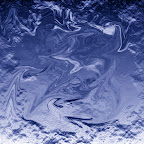
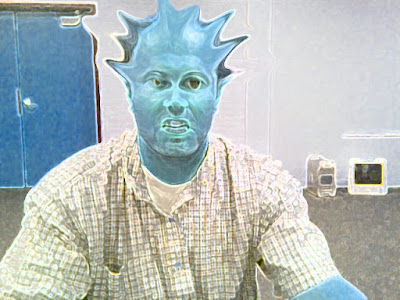
Start by going to filters/render/clouds. Then experiment with all the different filter effects. Each texture you create use a minimum of 5 filter effect. On the 11th texture, open an image of yourself and use the liquify filter effect to distort yourself.


 Photoshop Filters


Photoshop Hot Keys
-Add Color : Command + B (Color Balance)

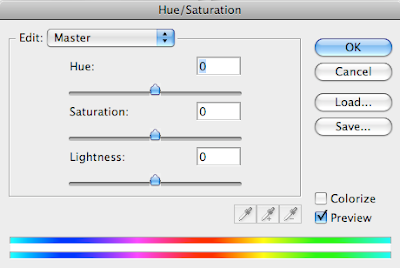
-Change color : Command + U (Hue/Saturation)


Assignment
-Wallpaper1.psd 20 pt.
-Wallpaper2.psd 20 pt.
-Wallpaper3.psd 20 pt.
-Wallpaper4.psd 20 pt.
-Wallpaper5.psd 20 pt.

With pictures
-Wallpaper6.psd 20 pt.
-Wallpaper7.psd 20 pt.
-Wallpaper8.psd 20 pt.
-Wallpaper9.psd 20 pt.
-Wallpaper10.psd 20 pt.

Assignment: On the 11th texture, open an image of yourself and use the liquify filter effect to distort yourself.


-Texture11.psd 20 pt. (Distorted image of yourself)

Photoshop Filter

Photoshop Liquify Filter

Thursday, October 29, 2020

Week 10 2020: STEAM Rush Video

  Oct. 26 - 29, 2020


Objective:  Learn: Science, Technology, Engineering, Art or Math
Assignment: STEAM Video
Details: Create a project folder on your computer. Save images, video and audio related to your STEAM career. Use Adobe Rush to insert all your media.


Save As: STEAM_Video
Export As: STEAM_Video_XX.mp4

Example:

Video Tutorial: 


Thursday, October 22, 2020

Week 9b 2020: STEAM Video Title

  Oct. 19 - 22, 2020


Objective:  Learn: Science, Technology, Engineering, Art or Math
Assignment: STEAM Video Title
Details: Create a video title in Photoshop
Demotions: 1920w X 1080h px 72ppi


Save As: STEAM_title.psd
Export As: STEAM_title.jpg

Example:


Video Tutorial: 
Photoshop: Creating a Video Title Part 1


Monday, October 19, 2020

Week 9 2020: STEAM Project

 Oct. 19 - 22, 2020


Objective:  
Assignment: STEAM Video
Details: Pick a topic


I Heart Tech KickOff!


https://pages.adobe.com/ihearttech/en/event-schedule


What you will do
Explore careers in technology from Adobe employees working in technical roles
Learn Adobe Rush or Adobe Spark with online workshops
Create a video or web page about a dream STEAM job (due by October 26)
Join the online awards ceremony on October 29th
Utah high school students will imagine their own STEAM dream job in a video or web page and can submit it to win a prize.

Tuesday, October 13, 2020

Week 8 2020: Game Graphics & Coding

Oct. 12 - 14, 2020

Objective: Export Vector Graphics
Assignment: Code Game Graphics
Details: Using Scratch, import graphics and code your game.
Links: Scratch
Downloads: Scratch Sizes 480 x 360 pixels

 
http://scratch.mit.edu/projects/28278196/

1. Basic X Moving
https://www.youtube.com/watch?v=g6YoWFrqyGg

2. How to Animate a Walking Sprite
https://www.youtube.com/watch?v=59LPCaHHgO8

3. How to Jump
https://www.youtube.com/watch?v=DfaXb3t6jVI


Scratch Coding Tips: https://goo.gl/photos/nQx1pgzS2VzT6Y4SA

end


Monday, October 5, 2020

Week 7 2020: Game Design

October 5 - 8, 2020

Assignment: Game Design
Details: 
You have just been hired to design a video game. Come up with a name, logo, then create your character. 
Links: Scratch
Downloads: Scratch Sizes 480 x 360 pixels

Save As: 04_Game Design_XX.ai
Export As: 04_Game Design_XX.png


-Game Name, Game Logo 25pts.
-Game 1st character 25pts.


Name of and title or logo.


First Level


Photoshop Assignments