Monday, October 30, 2023

Week 11 2023 Photoshop Wallpapers

October 30 - November 3, 2023

Objective: Learn the how to use Filters to create textures.
Assignment: Photoshop Wallpapers.

Photoshop


Create 5 Desktop Wallpapers using filters in Photoshop.
Start out by creating a 1920 px x 1440 px image 72 resolution.
Start by going to filters/render/clouds. Then experiment with all the different filter effects. Each texture you create use a minimum of 5 filter effect. On the 11th texture, open an image of yourself and use the liquify filter effect to distort yourself.


 Photoshop Filters


Photoshop Hot Keys
-Add Color : Command + B (Color Balance)

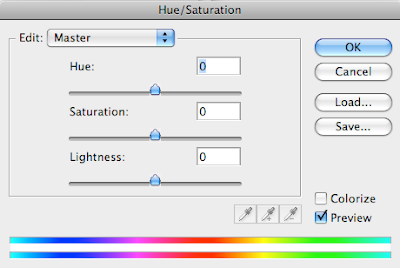
-Change color : Command + U (Hue/Saturation)


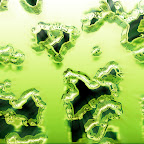
Assignment
-Wallpaper1.psd 20 pt.
-Wallpaper2.psd 20 pt.
-Wallpaper3.psd 20 pt.
-Wallpaper4.psd 20 pt.
-Wallpaper5.psd 20 pt.

With pictures
-Wallpaper6.psd 20 pt.
-Wallpaper7.psd 20 pt.
-Wallpaper8.psd 20 pt.
-Wallpaper9.psd 20 pt.
-Wallpaper10.psd 20 pt.

Assignment: On the 11th texture, open an image of yourself and use the liquify filter effect to distort yourself.
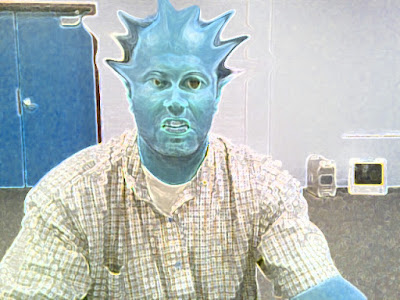

-Texture11.psd 20 pt. (Distorted image of yourself)

Photoshop Filter

Photoshop Liquify Filter


Thursday, October 26, 2023

Week 10 2023 Illustrator Tutorial

 Oct. 24-27, 2023


Objective: Learn Something new
Assignment: Illustrator Tutorial
Details: Search YouTube for a tutorial to learn a new skill in Illustrator. Apply what you have learned to an art piece you create.

Save As: illtut.ai
Export As: illtut.png

Video Tutorials: 

Friday, October 13, 2023

Week 9 2023 Perspective Grid Building

Oct. 16-18, 2023


Objective: Duplicate & Change
Assignment: Perspective Grid Building
Details: Use the Perspective grid tool to create a building or buildings. 

Save As:
 Building.ai
Export As: Building.png


Video Tutorial: 


Monday, October 9, 2023

Week 8 2023: Nine Characters


October 9-13, 2023

Objective: Duplicate & Change
Assignment: Design 9 Characters
Details: Watch the video below. Create nine of your own unique characters.

Save As:
04_9characters.ai
Export As: 04_9characters.png


Video Tutorials: 

How To Draw A Face, 10 Flat Design Characters in 10 Minutes, Speed Drawing in Adobe Illustrator


end


Tuesday, October 3, 2023

Week 7 2023 T-Shirt Design

October 2 - 6, 2023

Assignment: T-Shirt & Pin Design
Description: Create a T-Shirt & Pin Design representing Skills USA for the state of Utah.

Must include the following:
-Color: Red, White & Blue. 
-Text: SkillsUSA, Utah, 2023

Save As: 09_T-Shirt Design_XX.ai
Export As: 09_T-Shirt Design_XX.png


 Video Tutorial:

Illustrator: 008 T-Shirt Design


Friday, September 22, 2023

Week 6 2023 Media Layouts

September 25-28, 2023

Objective: Placing Graphics for different sizes.
Assignments: Business Card, Web Header, Video Title, & Magazine Ad.
Description: Use your logo place in each of the design layouts.
Download Media Template

Save As: 007_MediaLayouts_XX.ai
Save As: 007_MediaLayouts_XX.png


 Video Tutorials:


Thursday, September 14, 2023

Week 5 2023 My Logo

September 18 - 22, 2023

Assignment: MyLogo (50pts)
Details: Create your own business and design five different variations of your logo.

Save As: 07_MyLogo_XX.ai

Export As: 07_MyLogo_XX.png
 
Your logo must be a vector art graphics, no images on your logo. You can trace with the pen tool or download fonts to get clip art if you want.


Download: Download 5 Fonts
Description: Download 5 different fonts and Install.

1. Find 5 fonts.
- DaFont: http://www.dafont.com/
- ReFont: http://www.refont.com/ 
-Shapes: https://thenounproject.com/

2. Download Font
3. Unzip Font (.zip)
4. Install font. (.ttf or .otf) 


-5 logos 100pts

Illustrator Gradient Tool


Illustrator Type Tool


Photoshop Assignments