Monday, November 16, 2026

Week 14 2026 Cutout: Mask Layer

Nov. 16 - 20, 2026 

Objective: Use a Mask Layer to combining images.
Assignment: Cutout: Mask Layer.
Details: Use three images and combine them using a Mask Layer.
Save As: cutout1.psd & cutout1.jpg


Assignment
-Cutout 100pts.

Photoshop Mask Layer

Thursday, November 12, 2026

Week 13b 2026 Fixit Part 2

Nov. 9 - 13, 2026 

Objective: Use Photoshop tools to enhance photos.
Assignment: Fix the images in the Fixit folder. Use the clone stamp tool and healing tools to touch up the images.
Link: Images Gallery
Download: Fixit_

Save As:
Redeyedit.psd
Export As: Redeyedit.psd

Red Eye, Healing Patch & Change color


Video Tutorial Red Eye  & Spot Healing Brush


Video Tutorial Color Change


Lighten image


Sharpen image: Download


Video Tutorials
Red Eye, Healing Patch & Change color

Lighten image

Sharpen image


Tuesday, November 10, 2026

Week 13 2026 Fix It Part 1

November 9-13, 2026 

Objective: Use Photoshop tools to enhance photos.
Assignment: Fix the images in the Fixit Gallery. Use the clone stamp tool and healing tools to touch up the images.

Download: Fixit_
Link: Images Gallery

Save As: Fixed_XX.psd
Export As: Fixed_XX.jpg


Clone Stamp Tool


From Photoshop


Assignment
-fixit 50pts

Clone Stamp Tool


Touch ups & adding color using layer blends


;-)

Distort


Liquify Filter


Wednesday, November 4, 2026

Week 12 2026 Web Header

November 2 - 6, 2026 

Objective:  Use Web measurements.
Assignment: Web Header 50 pts.
Size: ? inches by ? inches, 72 Resolution


Objective:  Use Web measurements.
Assignment: Customize Portfolio 50 pts.
Size: ? inches by ? inches, 72 Resolution

Links: Portfolio


Thursday, October 29, 2026

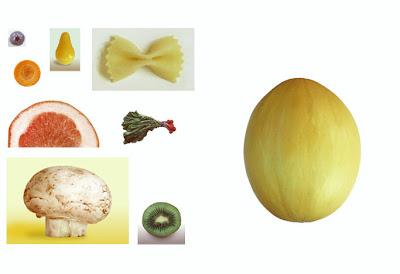
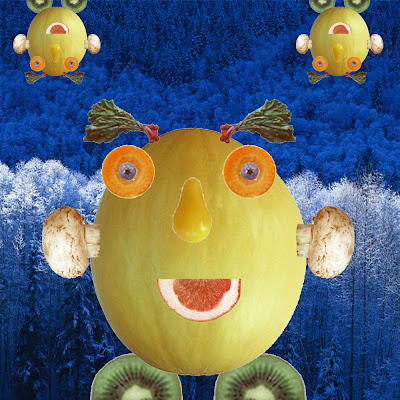
Week 12 2026 Melon Man

November 2 - 6, 2026 

Objective:  Use Select Tool to select objects.
Assignment: Melon man 50 pts.
Size: 5 inches by 5 inches, 200 Resolution

Download: Melon Head

Images Gallery

Using the melon man image create a melon man using layers.


Video Tutorials

Move & Rectangular Marquee Tools


Layers


Free Transform


Magic Wand Tool


Tuesday, October 27, 2026

Week 11 2026 Photoshop Wallpapers

October 27 - 30, 2026

Objective: Learn the how to use Filters to create textures.
Assignment: Photoshop Wallpapers.

Photoshop 


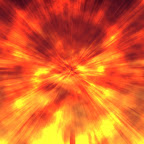
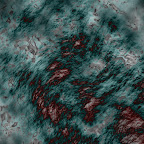
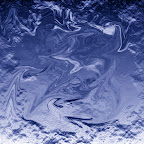
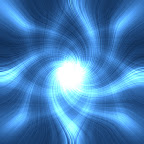
Create 5 Desktop Wallpapers using filters in Photoshop.
Start out by creating a 1920 px x 1440 px image 72 resolution.
Start by going to filters/render/clouds. Then experiment with all the different filter effects. Each texture you create use a minimum of 5 filter effect. On the 11th texture, open an image of yourself and use the liquify filter effect to distort yourself.


 Photoshop Filters


Photoshop Hot Keys
-Add Color : Command + B (Color Balance)

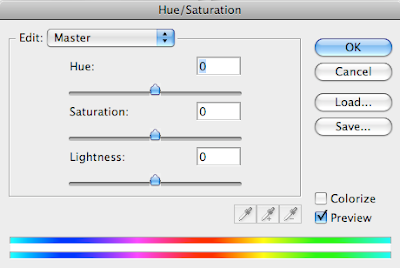
-Change color : Command + U (Hue/Saturation)
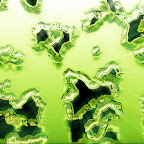
Assignment
-Wallpaper1.psd 20 pt.
-Wallpaper2.psd 20 pt.
-Wallpaper3.psd 20 pt.
-Wallpaper4.psd 20 pt.
-Wallpaper5.psd 20 pt.

With pictures
-Wallpaper6.psd 20 pt.
-Wallpaper7.psd 20 pt.
-Wallpaper8.psd 20 pt.
-Wallpaper9.psd 20 pt.
-Wallpaper10.psd 20 pt.

Assignment: On the 11th texture, open an image of yourself and use the liquify filter effect to distort yourself.
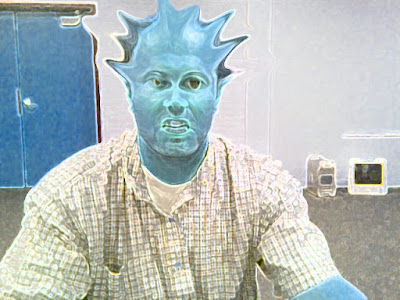

-Texture11.psd 20 pt. (Distorted image of yourself)

Photoshop Filter

Photoshop Liquify Filter


Tuesday, October 20, 2026

Week 10b 2026 Illustrator Tutorial

 Oct. 19-23, 2026  


Objective: Learn Something new
Assignment: Illustrator Tutorial
Details: Search YouTube for a tutorial to learn a new skill in Illustrator. Apply what you have learned to an art piece you create.

Save As: illtut.ai
Export As: illtut.png

Video Tutorials: 

Photoshop Assignments