Thursday, October 23, 2014

Week 10 2014

October 20 - 24, 2014

Assignment: Create a Portfolio.
Details: Use iPhoto, Wix & Dropbox to create an online portfolio.

Portfolio Example

Home Page, Bio Page & Illustrator Page.

Digital Media Portfolio List

1. Boxes
2. Name Plate
3. Floor Plan
4. Cartoon
5. Logos
    -Logo 1
    -Logo 2
    -Logo 3
    -Logo 4
    -Logo 5
6. Layouts
    -Business Card
    -Web Header
    -Video Title
    -Magazine Ad
7. Game Design
    -Logo
    -Character 1
    -Character 2
    -Character 3
    -Character 4
    -Level 1
  8. Advertisement

Wednesday, October 15, 2014

Week 9 2014

Oct. 13-15, 2014


Assignment: Update  Portfolio and organize files on computer .
Assignment: Photoshop Wallpapers

Photoshop


Create 5 Desktop Wallpapers using filters in photoshop.
Start out by creating a 1920 px x 1440 px image 72 resolution.
Start by going to filters/render/clouds. Then experiment with all the different filter effects. Each texture you create use a minimum of 5 filter effect. On the 11th texture, open an image of yourself and use the liquify filter effect to distort yourself.


 Photoshop Filters


Photoshop Hot Keys
-Add Color : Command + B (Color Balance)

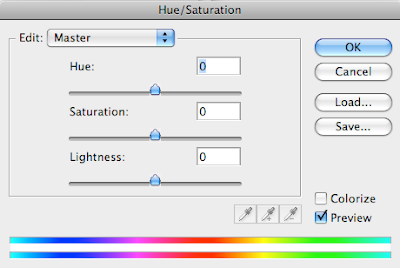
-Change color : Command + U (Hue/Saturation)

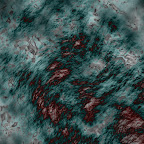



Assignment
-Wallpaper1.psd 20 pt.
-Wallpaper2.psd 20 pt.
-Wallpaper3.psd 20 pt.
-Wallpaper4.psd 20 pt.
-Wallpaper5.psd 20 pt.

With pictures
-Wallpaper6.psd 20 pt.
-Wallpaper7.psd 20 pt.
-Wallpaper8.psd 20 pt.
-Wallpaper9.psd 20 pt.
-Wallpaper10.psd 20 pt.

Assignment: On the 11th texture, open an image of yourself and use the liquify filter effect to distort yourself.
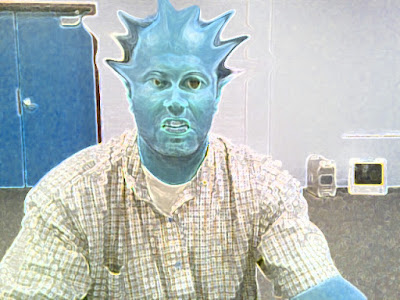

-Texture11.psd 20 pt. (Distorted image of yourself)

Photoshop Filter

Photoshop Liquify Filter

Wednesday, October 8, 2014

Week 8 2014

Oct. 6 - 10, 2014

Assignment: Code Video Game
Details: Import graphics and code video game using Scratch.
Links: http://scratch.mit.edu/

:-) :-)

Assignment: Code Video Game
Details: Import graphics and code video game using Scratch.
Links: http://multimedialab2003.wix.com/freeman-graphics#!illustrator/c1bas

Thursday, October 2, 2014

Week 7 2014

Sept. 29 - Oct. 2, 2014

Assignment: Code Game Graphics
Details: Using Scratch, import graphics and code your game.
Links: Scratch
Downloads: Scratch Sizes 480 x 360 pixels

 
http://scratch.mit.edu/projects/28278196/

1. Basic X Moving
https://www.youtube.com/watch?v=g6YoWFrqyGg

2. How to Animate a Walking Sprite
https://www.youtube.com/watch?v=59LPCaHHgO8

3. How to Jump
https://www.youtube.com/watch?v=DfaXb3t6jVI


Photoshop Assignments