Thursday, October 27, 2011

Week 10 2011

October 24-27, 2011

End Of 1st Quarter
Assignment: Photoshop Textures using Filters.
Assignment: Update Google Portfolio and organize files on computer .

Click to see Example of Portfolio
https://sites.google.com/site/allenfreeman51/illustrator

Photoshop


Create 5 textures using filters in photoshop.
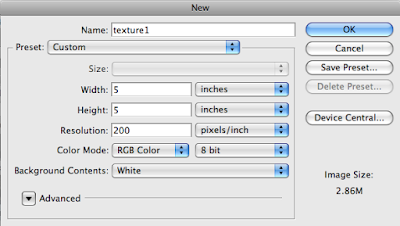
Start out by creating a 5" x 5" image 200 resolution.
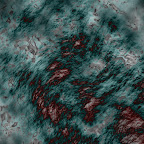
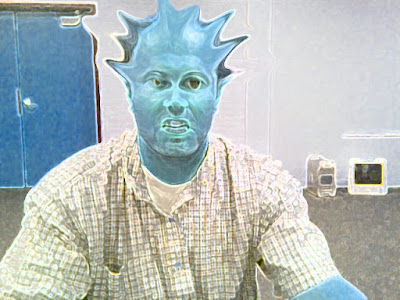
Start by going to filters/render/clouds. Then experiment with all the different filter effects. Each texture you create use a minimum of 5 filter effect. On the 6th texture, open an image of yourself and use the liquify filter effect to distort yourself.


Photoshop Hot Keys
-Add Color : Command + B (Color Balance)

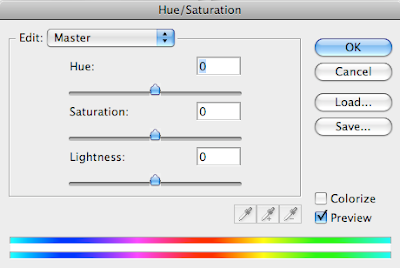
-Change color : Command + U (Hue/Saturation)




Assignment
-Texture1.psd 20 pt.
-Texture2.psd 20 pt.
-Texture3.psd 20 pt.
-Texture4.psd 20 pt.
-Texture5.psd 20 pt.

-Texture6.psd 20 pt. (Distorted image of yourself)

Photoshop Filter


Photoshop Liquify Filter

Wednesday, October 19, 2011

Week 9 2011

Oct. 17-19, 2011

Assignment: Making your game come to life.
Downloads: Game Movements


Monday, October 10, 2011

Week 8 2011

Oct. 10-14, 2011

Assignment: Update Google Portfolio
Description: Upload all screen shot to you Google Picasa Gallery. Create a new page on your Google site and name it Illustrator. Use tables to layout your Illustrator assignments.

Click to see Example
https://sites.google.com/site/allenfreeman51/illustrator


Video Tutorials: Step by step to updating your Google site Portfolio.


Week 7 2011

Oct. 3-6, 2011

Assignment: Advertisement
Dimensions: HDV 1080 Width: 1920 px, Height: 1080 px


 Instructions: Pick a something you want to advertise and make an ad. Ad must have a graphic, Text and information about the event or product.
Advertisement Example


Monday, September 26, 2011

Week 6 2011

September 27-30, 2011

This week work on your first & second levels of your game. Don't forget to add detail. It's the little things that will make your game look good. Everything must be created in Illustrator, although get ideas from others in the class or on the Internet.

-Level 1 50pts.
-Level 2 50pts.


Wednesday, September 21, 2011

Week 5 2011

 September 19-23, 2011

You have just been hired to design a video game. Come up with a name, logo, then create your character.

-Game Name 25pts.
-Game Logo 25pts.
-Game 1st character 50pts.


Name of and title or logo.


First Level


Live Paint Bucket & Selection Tools


Layers & Grouping

Photoshop Assignments