Tuesday, November 10, 2015

Week 13 2015 Font & Layer Styles

November 9-13, 2015

Objective: Use fonts and apply Layer Styles
Assignment:  10Text.psd: Come up with a theme and type ten words related to your theme. Use different different fonts, layer styles to apply glows and shadow, and other effects.
Dimensions: 6"x4" 200 Resolution

Download fonts at; http://www.dafont.com/


Text Tool


Layer Styles


Text & Shapes Tool


Business Card
-Logo
-Name
-Job Title
-Address
-Phone
-Email
-website


Assignments
-10text.psd 50 pts. (6"x4" 200 res)
-businesscard.psd 50 pts. (3"x2" 200 res)

 Examples: http://www.vistaprint.com/

Extras: Text Effects http://photoshopcafe.com/
-Fire Text http://10steps.sg/tutorials/photoshop/text-on-fire-effect/
-

Friday, October 30, 2015

Week 12a 2015 Color Theory

Nov. 3 - 7, 2015

Objective: Change color to an image using different color schemes.
Assignment: Color Schemes
Details: Download an image or images and change the colors to warm and cold colors. Change the colors to Mono, Complement, Triad, Tetrad, Analogic, Accented Analogic.
Link: http://colorschemedesigner.com/csd-3.5/
Save Images As: Warm.jpg , Cold.jpg, Mono.jpg, Complement.jpg, Triad.jpg, Tetrad.jpg, Analogic.jpg, Accented_Analogic.jpg.


Objective: Add an image inside text.
Assignment: Text Cutout
Details: Download a background of a city, landscape or texture. Overlay a thick text on top of the image. Use the text layer as a stencil and mask out the rest of the image.


Video Tutorial: Photoshop: Text Cutout


Color Theory http://colorschemedesigner.com/

Assignment: Create 5 images

Warm

Cold


Week 11b 2015 Shadows & Reflections

Oct. 27-30, 2015

Objective: Adding details like shadows or reflections.
Assignment: Shadows & Reflections
Details: Cutout and image place it into a new background then add a shadow or reflection.


Assignment: Profile Picture
Details: Take a picture of yourself then download a new hairstyle and add some new facial parts. Change the background.


Tuesday, October 27, 2015

Week 11a 2015 Mask Cutout

Oct. 27-30, 2015

Objective: Combining images.
Assignment: Use three images and combine them using a Mask Layer.
Save As: cutout1.psd & cutout1.jpg


Assignment
-Cutout 100pts.

Photoshop Mask Layer

Wednesday, October 21, 2015

Week 10 2015 Fixit Part 2

Oct. 19 - 23, 2015

Objective: Use Photoshop tools to enhance photos.
Assignment: Fix the images in the Fixit folder. Use the clone stamp tool and healing tools to touch up the images.
Download: Download Images

Red Eye, Healing Patch & Change color


Video Tutorial Red Eye  & Spot Healing Brush


Video Tutorial Color Change


Lighten image


Sharpen image: Download


Video Tutorials
Red Eye, Healing Patch & Change color

Lighten image

Sharpen image


Monday, October 12, 2015

Week 9b 2015 Fix It

Oct. 12 - 14, 2014

Objective: Use Photoshop tools to enhance photos.
Assignment: Fix the images in the Fixit folder. Use the clone stamp tool and healing tools to touch up the images.
Download: Download Images
Link: http://goo.gl/photos/Yk6Ber0Z60 

Clone Stamp Tool


From Photoshop


Assignment
-fixit 50pts

Clone Stamp Tool


Touch ups & adding color using layer blends


Distort


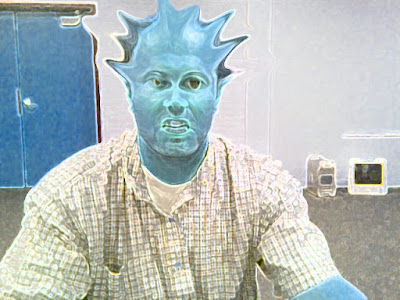
Liquify Filter

Friday, October 9, 2015

Week 9 2015 Photoshop

Oct. 12-14, 2015

Objective: Learn the how to use Filters to create textures.
Assignment: Photoshop Wallpapers.

Photoshop


Create 5 Desktop Wallpapers using filters in Photoshop.
Start out by creating a 1920 px x 1440 px image 72 resolution.
Start by going to filters/render/clouds. Then experiment with all the different filter effects. Each texture you create use a minimum of 5 filter effect. On the 11th texture, open an image of yourself and use the liquify filter effect to distort yourself.


 Photoshop Filters


Photoshop Hot Keys
-Add Color : Command + B (Color Balance)

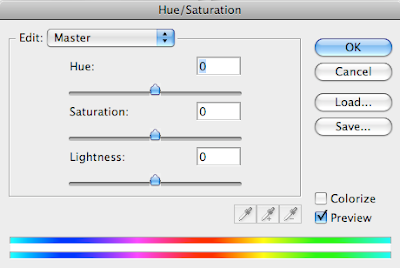
-Change color : Command + U (Hue/Saturation)


Assignment
-Wallpaper1.psd 20 pt.
-Wallpaper2.psd 20 pt.
-Wallpaper3.psd 20 pt.
-Wallpaper4.psd 20 pt.
-Wallpaper5.psd 20 pt.

With pictures
-Wallpaper6.psd 20 pt.
-Wallpaper7.psd 20 pt.
-Wallpaper8.psd 20 pt.
-Wallpaper9.psd 20 pt.
-Wallpaper10.psd 20 pt.

Assignment: On the 11th texture, open an image of yourself and use the liquify filter effect to distort yourself.


-Texture11.psd 20 pt. (Distorted image of yourself)

Photoshop Filter

Photoshop Liquify Filter

Photoshop Assignments