March 5-9, 2018
Objective: Importing Sound to the timeline.
Assignment: 5 Sound FX (100 pts)
Details: Use sounds library in flash, download or create sound effects in Garage Band. Use .mp3 or .wav files when importing into flash.
Sound FX Links
Soundbible
Freesounds
Findsounds
Flash Kit
Speak Text
Sounddogs
Monday, March 5, 2018

Tuesday, February 20, 2018
Week 27 2018: Backgrounds
Feb. 20 - 23, 2018
Objective: Show; Establishing Shot, Medium Shot, Close Up Shot.
Assignment: 5 Backgrounds
Details: Create five Points of View or backgrounds. Change up your angle.
Examples: Establishing Shot, Medium Shot, Close Up Shot.

Assignment: Cartoon Animation
-Storyboard (100pts.)
-Five Characters (100pts.)
-Five Backgrounds (100pts.)
-Animation Tweens (100pts.)
-5 Sound FX (100pts.)
-Menu & Credits (100pts.)
-Quality (100pts.)
Animation Examples
Homestarrunner
Starwarsspoofs
Objective: Show; Establishing Shot, Medium Shot, Close Up Shot.
Assignment: 5 Backgrounds
Details: Create five Points of View or backgrounds. Change up your angle.
Examples: Establishing Shot, Medium Shot, Close Up Shot.

Assignment: Cartoon Animation
-Storyboard (100pts.)
-Five Characters (100pts.)
-Five Backgrounds (100pts.)
-Animation Tweens (100pts.)
-5 Sound FX (100pts.)
-Menu & Credits (100pts.)
-Quality (100pts.)
Animation Examples
Homestarrunner
Starwarsspoofs
Monday, February 12, 2018
Week 26 2018: Storyboard & Planning
Feb. 12 - 15, 2018
Objective: Brainstorm & Planning
Assignment: Storyboard (100 pts)
Details: Draw your cartoon in a storyboard.

Assignment: Create 5 characters and 5 Backgrounds.
- 5 Characters (100 pts)
- 5 Backgrounds (100 pts)

Objective: Brainstorm & Planning
Assignment: Storyboard (100 pts)
Details: Draw your cartoon in a storyboard.

Assignment: Create 5 characters and 5 Backgrounds.
- 5 Characters (100 pts)
- 5 Backgrounds (100 pts)

Tuesday, February 6, 2018
Week 25 2018: Ninja Animation
February 5 - 9, 2018
Objective: Scene Animation
Assignment: Complete Levels 1-4 (100 pts)
Click to download Level 1-4

Flash Ninja Animation Tutorials
End
Objective: Scene Animation
Assignment: Complete Levels 1-4 (100 pts)
Click to download Level 1-4
Flash Ninja Animation Tutorials
End
Friday, February 2, 2018
Week 24 2018: Masks & Bone Tool
Jan. 29 - Feb. 2, 2018
Objective: Use a Mask to cut out objects
Assignment: Mask Title 50 pts.
Details: Type in some text. Use the mask to add a gradient. Insert an image and animate the title.
Save As: MaskTitle.fla
Objective: Use bones to animate
Assignment: Bones & Armature (25 pts)
Details: Draw an object or character. Animate your object or character using the bones.
Save As: BoneAnimation.fla
Video Tutorials
Mask Title
Bones
Objective: Use a Mask to cut out objects
Assignment: Mask Title 50 pts.
Details: Type in some text. Use the mask to add a gradient. Insert an image and animate the title.
Save As: MaskTitle.fla
Objective: Use bones to animate
Assignment: Bones & Armature (25 pts)
Details: Draw an object or character. Animate your object or character using the bones.
Save As: BoneAnimation.fla
Video Tutorials
Mask Title
Bones
Monday, January 22, 2018
Week 23 2018: Shape Tweens & Graphic Symbol
Jan. 22 - 26, 2018
Objective: Draw using shapes and lines.
Assignment: Shape Tween Animation 25 pts.
Details: Use the drawing tools to draw a background in Animate. Use color and the gradient tool to make it look good.
Save As: Shapetween.fla

Objective: Use Graphic Symbols to Animate
Assignment: Graphic Symbol (50 pts)
Details: Draw an object and convert to a Graphic Symbol. Double click on the symbol and animate on new timeline.
Save As: GraphicSymbol.fla
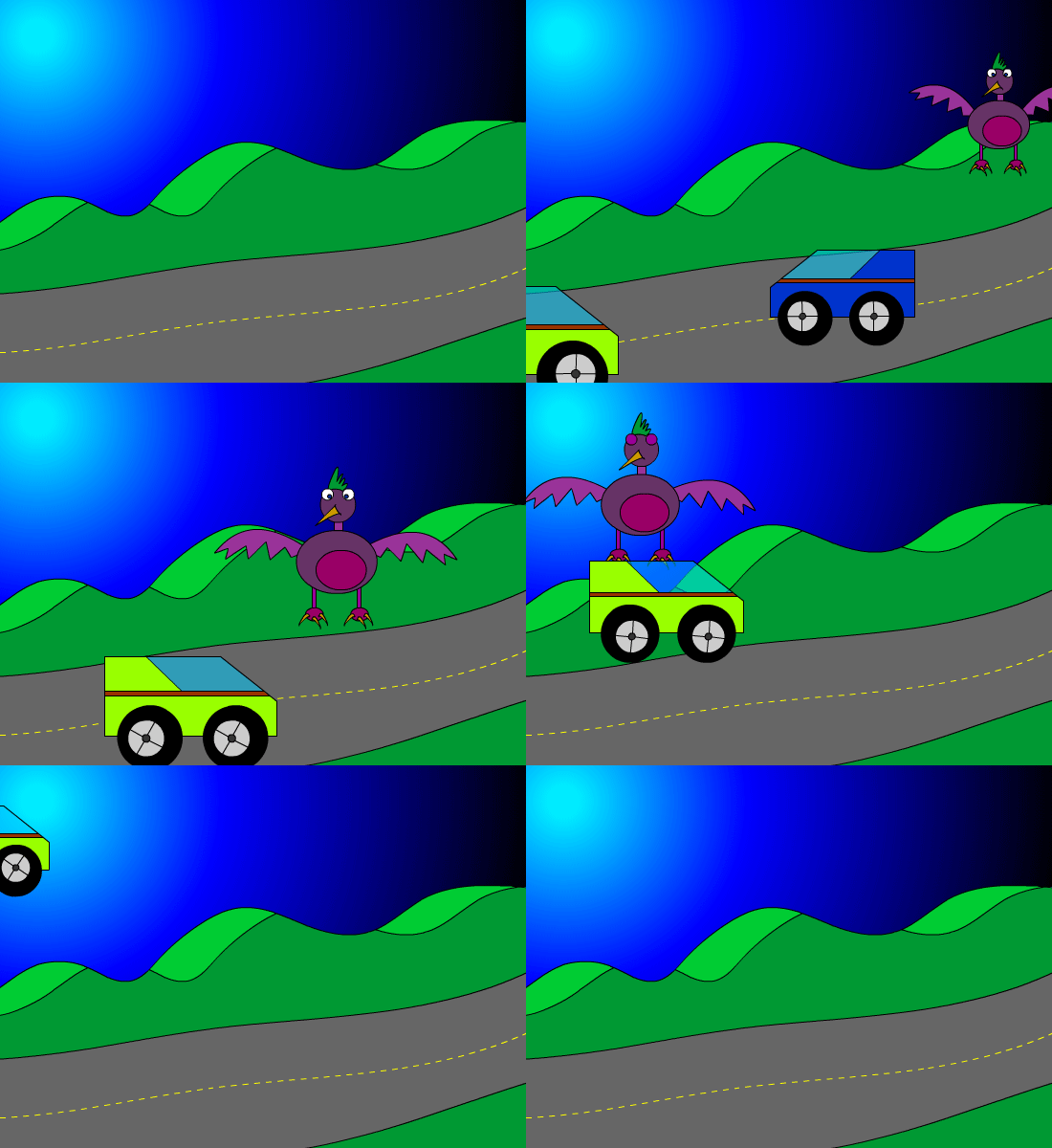
Video Tutorials
Shape Tween Animation
Graphic Symbol
Pause a Character
Grow Character
Objective: Draw using shapes and lines.
Assignment: Shape Tween Animation 25 pts.
Details: Use the drawing tools to draw a background in Animate. Use color and the gradient tool to make it look good.
Save As: Shapetween.fla
Objective: Use Graphic Symbols to Animate
Assignment: Graphic Symbol (50 pts)
Details: Draw an object and convert to a Graphic Symbol. Double click on the symbol and animate on new timeline.
Save As: GraphicSymbol.fla
Video Tutorials
Shape Tween Animation
Graphic Symbol
Pause a Character
Grow Character
Wednesday, January 10, 2018
Week 21b 2018: Basic Animation
Jan. 8 - 12, 2018
Objective: Animate using the timeline.
Assignment: 5 second frame by frame animation. (50 pts)
Details: Use the timeline to create a frame by frame animation. You will need to use the hot key F6 to create a key frame & Shift + F5 to remove key frames. The animation will go for 120 frames which is 5 seconds.

Objective: Use Tween to Animate
Assignment: Tween Animation (50 pts)
Details: Use the timeline to create a tween animation. You will need to use the hot key F5 to create a frames & Shift + F5 to remove frames. The animation will go for 120 frames which is 5 seconds. Use a minimum of 3 Layers.

Video Tutorals
Tween Animation
Flash Short Cuts
Pause a Character
Grow Character
Objective: Animate using the timeline.
Assignment: 5 second frame by frame animation. (50 pts)
Details: Use the timeline to create a frame by frame animation. You will need to use the hot key F6 to create a key frame & Shift + F5 to remove key frames. The animation will go for 120 frames which is 5 seconds.

Objective: Use Tween to Animate
Assignment: Tween Animation (50 pts)
Details: Use the timeline to create a tween animation. You will need to use the hot key F5 to create a frames & Shift + F5 to remove frames. The animation will go for 120 frames which is 5 seconds. Use a minimum of 3 Layers.

Video Tutorals
Tween Animation
Flash Short Cuts
Pause a Character
Grow Character
Subscribe to:
Posts (Atom)